2. Talk with an agent
This walks through what happens in a real job: being asked a question, changing your mind, hitting a limit and stopping something.
Answer a question
When an agent needs you, Chat shows a number on its tab, the conversation says Waiting for your answer, and the Chat home page lists it first.
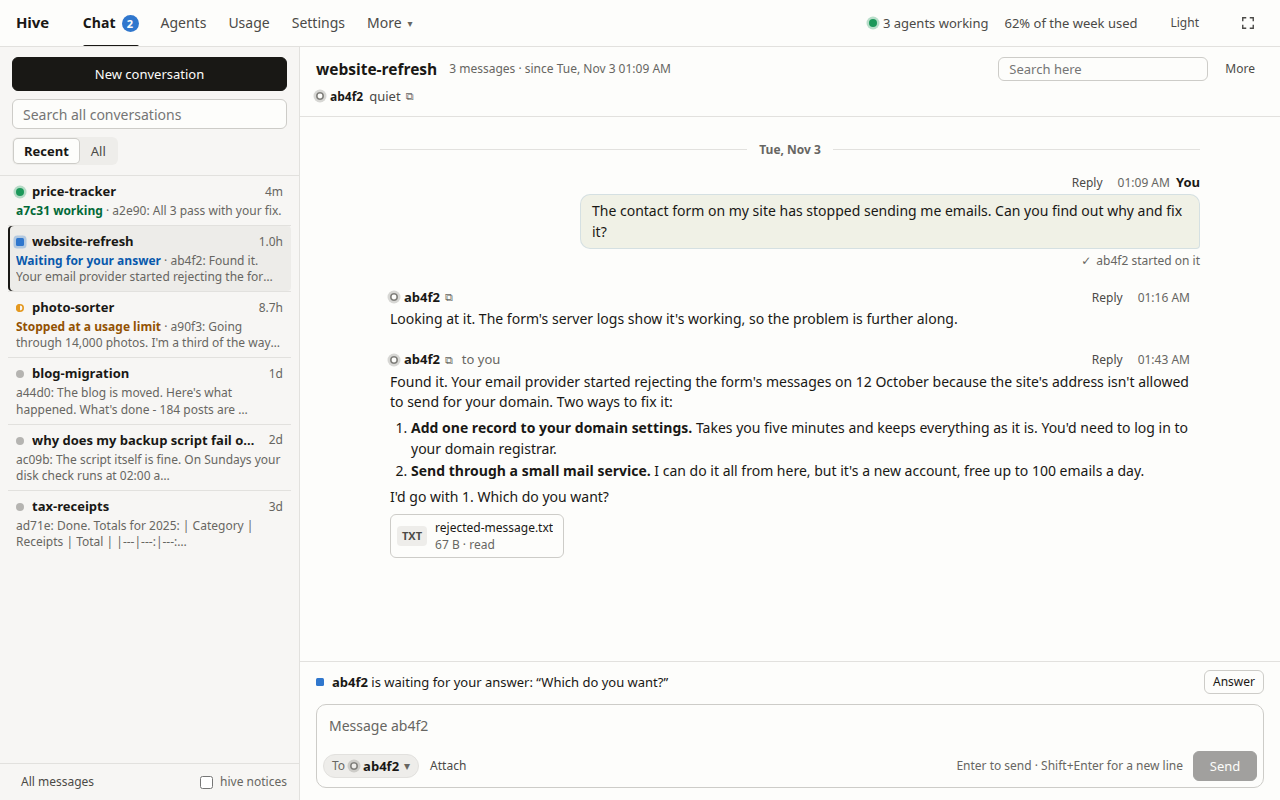
Open it and click Answer, or just type. A short reply is fine, like "1, go ahead". The agent has the context.
Change direction mid-job
You don't have to wait for it to finish. Type:
Actually, keep the old address working too.
A busy agent sees this after its current step, and adjusts. The note under your message shows whether it has reached the agent yet.
Talk to a helper
Agents bring in helpers when a job has parts. They all appear in the same conversation.
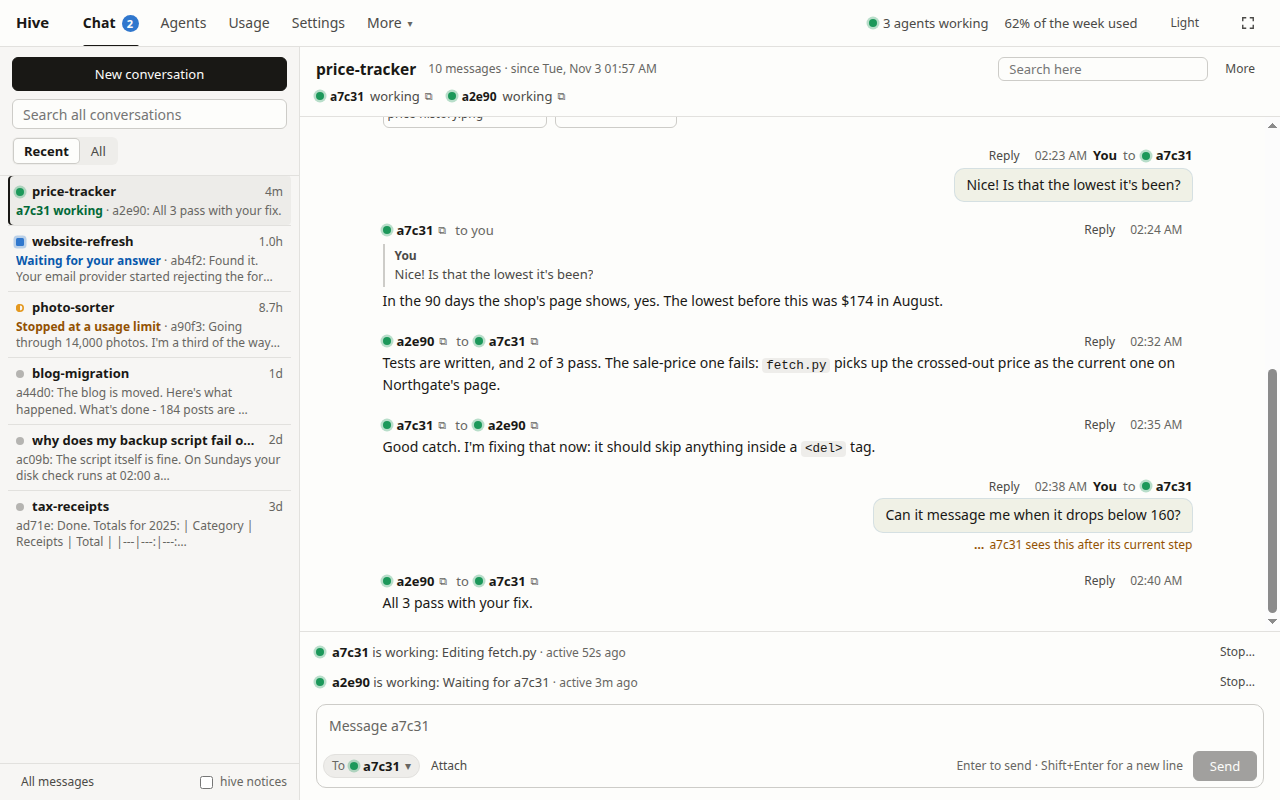
- A plain message goes to the agent you've been talking to.
- Reply on any message goes to whoever wrote it.
- To in the message box lets you choose, or type
@and a name.
When it stops at a limit
If your Claude limits run out mid-job, the conversation says the agent stopped at a usage limit. It usually resumes by itself after the reset. If it hasn't, click Carry on once there's room. Nothing is lost.
To make room sooner, see Keep an eye on your usage.
When you want it to stop
- It's going the wrong way: tell it to stop, and why. This is nearly always the right way, because it can save its work first.
- It has to end right now: click Stop… on its line above the message box, and type its name to confirm. It ends with no chance to save. Sending a message later starts it again.
Check its work
When an agent says it's done, ask what it actually checked:
How did you test that? Show me the output.
Agents can be confidently wrong, and it's your call whether the result is good enough. For anything that matters, look at the result yourself.